
Expert Xero Migrations
Migrate your data to Xero effortlessly with our specialized Xero migration services. We ensure a smooth transition and data integrity, minimizing downtime.
Seamless Data Migrations for MYOB to Xero with
Data Integrity and Minimal Downtime
Our expert team specializes in migrating your data from MYOB to Xero, ensuring a seamless transition with minimal downtime. With our comprehensive services, you can trust that your data integrity will be maintained throughout the migration process.
Data Integrity
We ensure the integrity of your data during the migration process, minimizing any potential risks or errors.
Minimal Downtime
Our efficient migration process ensures minimal downtime for your business operations.

Popular Accounting and Bookkeeping Software We've Migrated From:
Sage
QuickBooks
Reken Accounting
MYOB and MYOB Essential
Converting Accounting Software to Xero
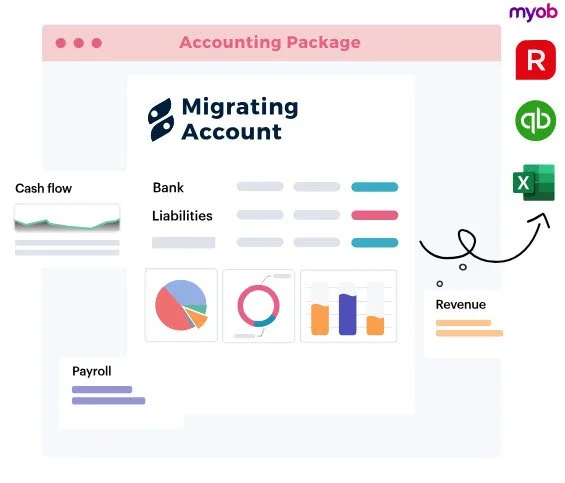
Seamless QuickBooks to Xero Data Migration Services
Our expert team ensures a smooth and accurate transition from QuickBooks to Xero, minimizing downtime and preserving data integrity. Experience a hassle-free migration process with our comprehensive services.

Data Integrity
We guarantee accurate and reliable data transfer from QuickBooks to Xero, preserving all crucial information.
Minimal Downtime
Our streamlined process ensures minimal disruption to your business operations during the migration.
Add-On Services:
Our Xero Pro Setup service goes beyond account setup. We provide additional services to enhance your financial processes and keep your Xero account optimized and up-to-date for your business needs.
Payroll & Pension Setup in Xero
Payment Gateway Setup
MTD Group VAT Return Setup
Consolidated reporting Setup
Xero Project Setup
Xero Expense Claim Setup
Xero CIS Module Setup
Credit Control Apps Setup
Stock Control Setup
EPOS System Integration Xero
Time Tracking Software Setup
Apps Setup and Training
Purchase Order Solution Setup
Effortless Reckon to Xero Data Migration Services
Our expert team ensures a smooth and reliable migration process, guaranteeing data consistency and integrity. Say goodbye to manual data entry and let us handle your Reckon to Xero migration.

Data Consistency and Reliability
Seamless Transition to Xero
Expert Team, Hassle-Free Migration
Expert Team, Hassle-Free Migration
Step-by-step guide to Xero migration
Our Xero migration process is designed to be seamless and efficient. From the initial assessment to the final validation,
we ensure a smooth transition with minimal downtime.

Assessment and Planning
We start by assessing your current system and planning the migration process to Xero.

Data Migration
Our expert team will migrate your data from your current accounting system to Xero.

Validation and Testing
We validate the migrated data and perform thorough testing to ensure accuracy.


“The Xero migration service provided by Simpro was seamless and efficient. Our data was migrated with minimal downtime, ensuring a smooth transition to Xero.”
Veronica Ong
Chief Financial Officer

FAQ
-
Airflow, Servicem8, Dynamics, SAP, Verizon, Xero, Myob and Any software that has a reports function or API access . If your Job Management software is not listed above, please contact us and we will try to assist you.
-
Before starting your data migration, please have the following information on hand:
Your company and contact details
Access to existing job management system, including login credentials (Username and passwords)
-
We advise you not to enter any new information during the conversion process. Any new data you enter into your existing system will not be present in your new system.
-
This will depend on the system to system as different systems access levels to data. Usually we able to migrate most of the import data for you such as Job information, invoices and Notes
-
Price can vary on a lot of factors such as how much worth of data we have to bring, data cleaning and organising, Processing å and which technology we use to extract data from the old system.
After the checking your old system backend by our team, we are able to give you a price range
-
This also depends with how much data you have in the old system and its complexity of it.
Usually, the data migration process normally takes three to five business days to complete. If you have a particularly large file, please allow extra time for us to process your data.
-
The simple answer is “NO “
We don’t advise you to enter data while the migration is taking place as it may interfere with the migration process.
-
The simple answer is “NO “
We don’t advise you to enter data while the migration is taking place as it may interfere with the migration process.